

Imagine you have a list of usernames and passwords. Then a user logs in to your web application. You check and verify that they are indeed on the list. So you let them in. Case solved, yes?
Not quite.
Logging in is only the beginning. What happens when they try editing their profile, posting a comment, or retrieving data they own? Of course, they should have access to it because it's theirs. But we can't blindly trust every request just because we verified them once.
You know it's them, but how can you prove it?
Well, what if we could pop the login form every single time they do something?
NO.
That would be a nightmare for the user experience. Just imagine this scenario:
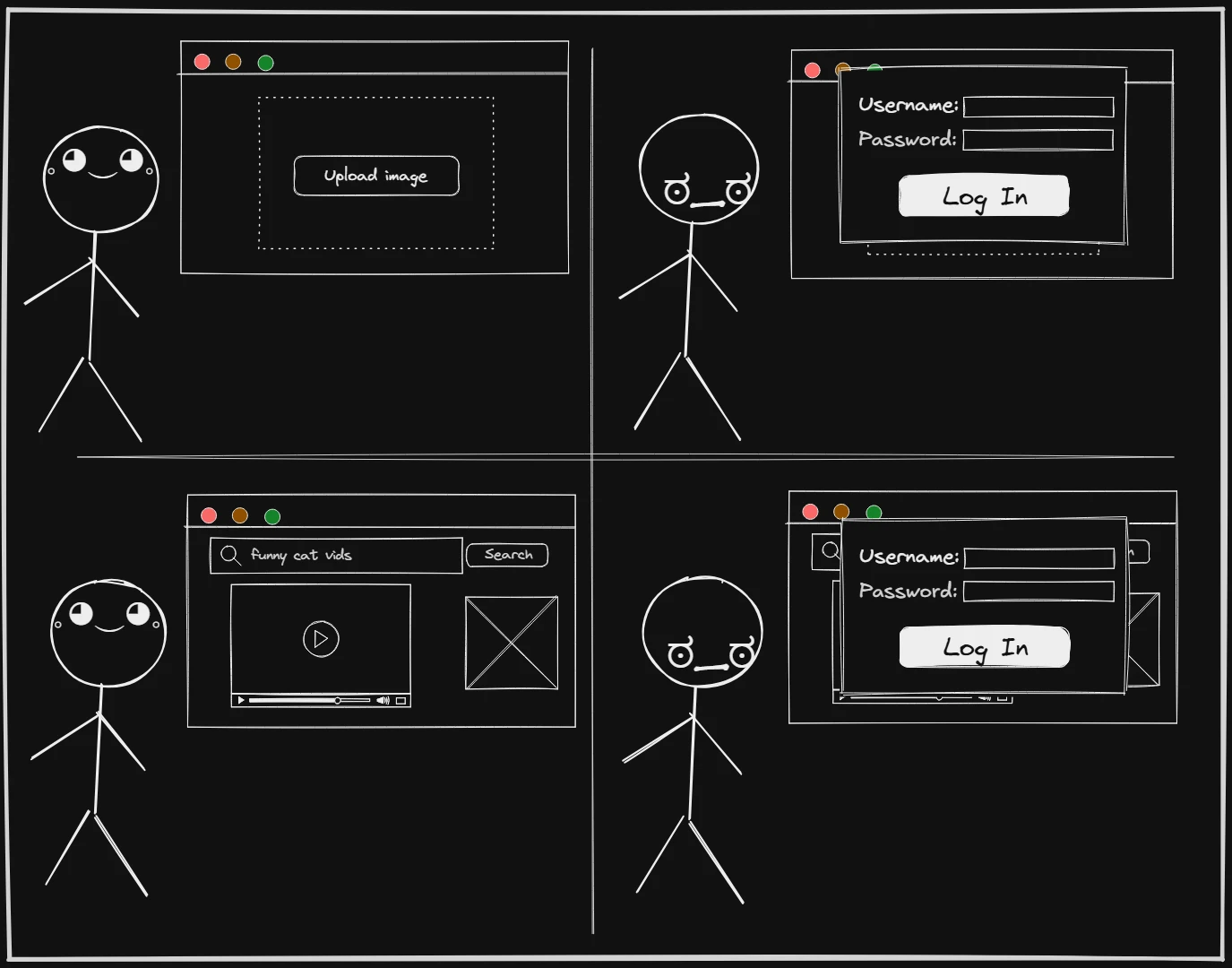
Frustrating, isn't it? Nobody wants to prove their identity every time they do something. It's like having to solve a CAPTCHA over and over just to prove you're not a bot.
Thankfully, there's a better way. This is where JWT comes in.
What The Heck is a JWT?
This is literally my reaction when I first read about the term when building my Kanban backend. But it's actually quite simple.
A JSON Web Token (JWT) is a signed token that a server can issue to a client after successfully authenticating a user. I know it's a lot of terms but we can think of it this way. It's like a key is handed to you after logging in.
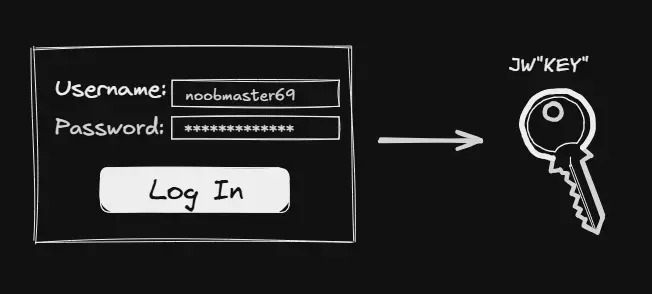
Then you can use this key to do all sorts of actions in the application instead of constantly being asked for credentials. The key is the proof needed by the app to know it is still you. Think of it as opening locked doors when doing an action.
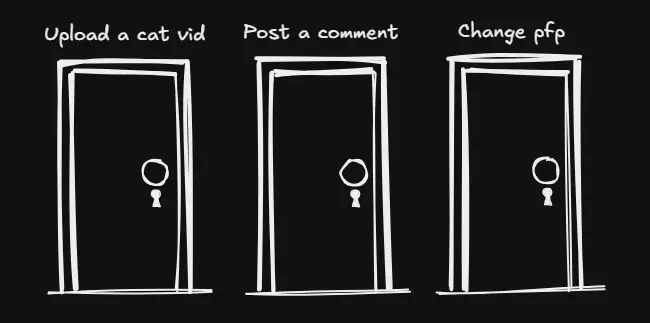
Now that you have the basics of JWT, let's get more technical.
What Does It Actually Look Like?
Well, it's a string. Literally just a string. It is divided into three parts: the header, the payload, and the signature. See the example below:
'eyJhbGciOiJIUzI1NiIsInR5cCI6IkpXVCJ9.eyJzdWIiOiJub29ibWFzdGVyNjkiLCJyb2xlIjoidXNlciIsIm1lc3NhZ2UiOiJUaG9yJ3Mgc2VjcmV0IGVuZW15IiwicGFzc3dvcmQiOiJJIGxvdmUgeW91IDMwMDAiLCJleHAiOjE3OTU1OTkxODB9.kPlUDMKpcAw9izsnV3VBkF3kyInMwe4oPmdoqSas2vU'
If you look closely, the three parts are separated by two dots. In this example, we are using HS256 as the signing algorithm:
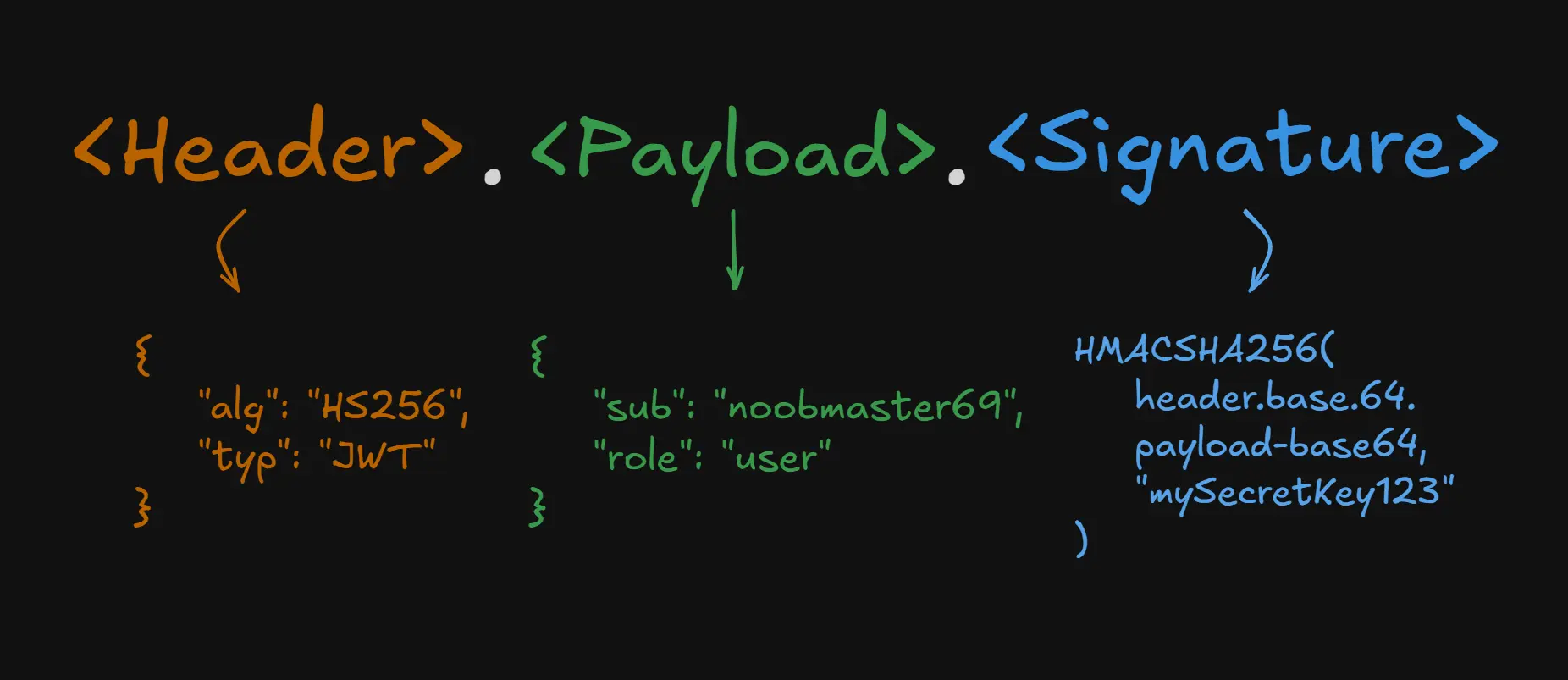
- Header: Contains information about the token, such as the signing algorithm used.
- Payload: The data the token carries such as the user's ID.
- Signature: The part that helps verify whether the token has been tampered with.
You may ask, how could someone tamper with it? It looks like it's already encrypted. This is also what I thought but it turns out it's not.
The payload is encoded, not encrypted.
Encoding simply transforms data into a different format so it's easier to transport, while encrypting transforms data so that only someone with the key can decrypt and read it. Anyone who gets their hands on a JWT can decode it back into a readable format.
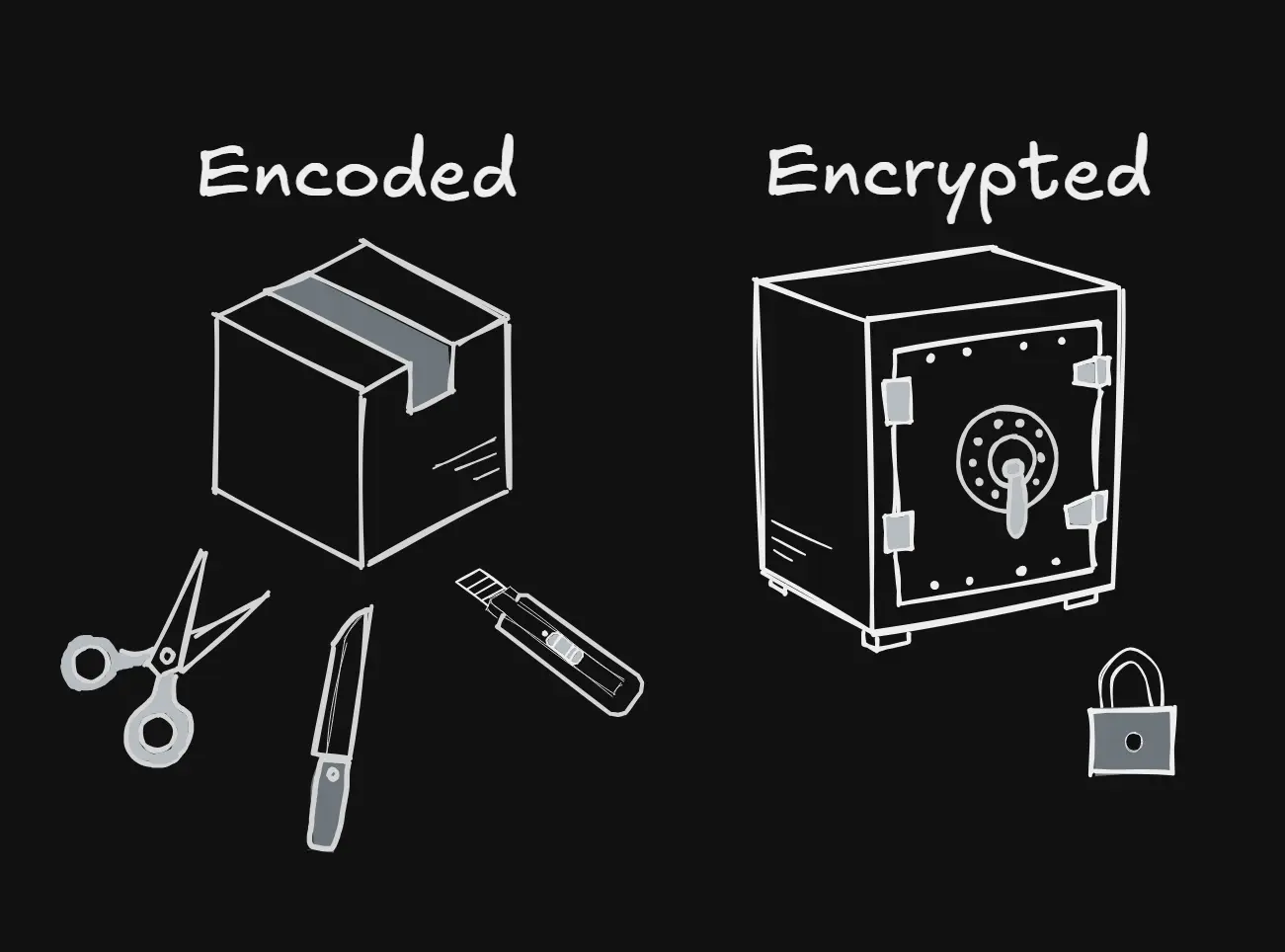
So if JWT is encoded, couldn't an attacker modify its payload? How can the backend trust it now?
Remember the third part of JWT? The signature helps the backend verify whether the token has been tampered with. The backend recreates the signature using the same signing algorithm and signing key. If the recreated signature doesn't match, the token is rejected.
But what if the attacker changes the signature too?
They can't without the signing key. They may know which algorithm is being used, but they don't have the environment key needed to create a valid signature (yet another reason why we don't commit our .env secrets to Git!)
So, How Does the Backend Use JWT?
It starts when a user logs in. After a successful login, the backend issues a JWT. Whenever the user does something in the app, the JWT is attached to the request. The backend verifies the signature and relevant claims (i.e. expiration date). If everything checks out, the request proceeds to the next step.
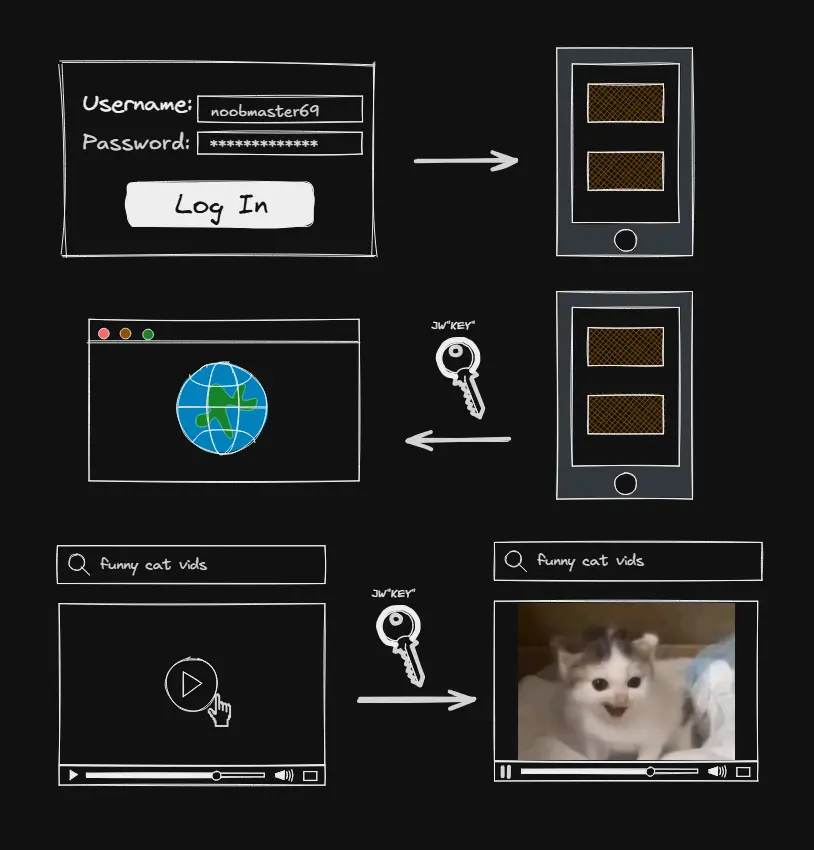
In this example, JWT solves authentication across multiple requests without having to ask the user to log in every single time an action is made.
But remember, this only solves authentication. It doesn't mean the user is allowed to do everything. There should be limitations and that's where the last section comes in.
A Few Things To Note
Authentication is not the same as authorization. JWT helps establish a user's identity, which is part of authentication. Authorization, on the other hand, determines whether that user has permission to perform a particular action or access a resource.
Next, tokens shouldn't last forever. In fact, a short-lived JWT is preferred. Expiration time is a must so that stolen tokens don't remain valid indefinitely. That's where refresh tokens come in (you can look them up if you want to learn more).
Lastly, don't put sensitive information like passwords in the JWT payload. Remember, it is only encoded, not encrypted. Utilize security techniques such as using HTTPS only and proper token storage.
That's pretty much it. I was actually planning on adding more but I feel like that would be too technical. Hopefully, this article shed more light about how JWT works. Breaking it down certainly helped me and I hope it did the same to you.
Just remember, whenever you log in, just know that web apps are always checking your identity on every single action you do. They are checking. Always checking.
PS. I drew some of the illustrations here by recreating drawings I found online and others from libraries I downloaded. I think this is the closest I could get to making a blog post feel like a YouTube explainer video, so I hope that goal was achieved.
By the way, try decoding the JWT string example above. If you do, then congrats on discovering a Marvel easter egg! That'll be your reward for making it this far. Have a good one!